Wednesday, 6 June 2018

Tuesday, 29 May 2018

Conforming to Existing Generic Conventions

In my rushes, I have demonstrated generic conventions such as TV Mystery Thrillers in my footage by gaining inspiration from existing programmes in the media industry.

An example of a TV show with similar generic conventions as my TV show is Scream. This is because the show is a TV Mystery Thriller with shots of suspense and tension that keeps the audience glued to their seats and eyes fixated on the screen. In the shot with my antagonist walking around with a weapon in his hand, this creates an immense chill just like in Scream when the antagonist comes on scream with their iconic weapon in hand. It is also builds tension knowing they are after a victim intending to hurt them and has the camera follow them. This shot conforms to the generic conventions of an existing programme.


In the scenes that display the main characters hallucinations, I used a very appropriate location to portray the characters point of view on how the drug affects them. This is due to the heightened lights in God's Own Junkyard that she is surrounded by to make the audience feel dizzy and and also affected. This is because the lights are very bright. This raw footage displays what the character sees and by us turning the camera 360 degrees repeatedly, it conveys her bewilderment. It illustrates a dream and a world of her own which she is in.

A programme with a similar genre where we see the character delve into a world of their own creating a hallucination effect is in The OA where the character is taken into her own mind after an incident. She begins to see a world with bright colours like we see in my raw footage, however do not see the shot in her point of view which I feel would be very effective towards the audience watching it. This would make the audience experience what the character visualises and this is an important effect. In creating this effect, I feel I have conformed to the generic conventions by using the location with bright colours to portray the hallucinations as it it also  illustrated in the existing TV show
The OA.


Post Production Notes and Evidence

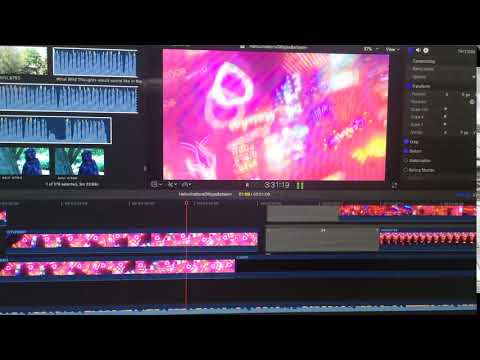
I have recorded footage that evidently shows what I did in my editing post production stage. When editing this specific scene in Final Cut Pro, to portray our protagonist who was hallucinating and lost, I created a little montage where I illustrated various little clips of her onto one image but made it a moving image. This was very effective for me as it was a new skill I learnt for editing and loved applying it to my work.I created this montage by creating a blank black clip at first and then dragged clips into it which I made smaller to make it look like a moving image collage. I then made them all the same duration so it ended together at the same time.
This was really exciting for me to create as I have not used my editing skills in this level before and was surprised as to how great the outcome was and looks good in my short film.


In this scene shows the protagonist beginning her hallucinations side effect and gradually fade from being captured in a dark room to a room full of bright heightened neon lights which cause her to act unfocused and dazed.
In Final Cut Pro, I used the opacity tool which I lowered and overlapped clips to create a ghost effect. I overlapped the clips at different seconds in short intervals to create a trippy effect which conveys an illusion she starts to experience.


When filming this scene, I rotated the camera around various times to create a powerful optical illusion that will make the audience feel dizzy. This is to create empathy on the character and for the audience to experience the hallucination effects of the drug she was forced to take. I also used the opacity tool for this specific part also to create the same ghost effect as I mentioned before. Using this tool was very effective at illustrating a double effect, in other words making the audience think the character is 'seeing things' or feeling uneasy.  


Rushes


Set Up and Operate

This shot was taken at Dilly's house where we used many props and camera equipment when filming in Dilly's Room. We used the camera on filming mode where we changed the lighting to shade mode as we wanted to perceive a darker image. We used the red cup to symbolise that Dilly was at the party where Amina was supposed to arrive to but never did because she was captured. 

We also have to fake blood to portray that Amina is hurt and and does not have to strength the resist against the kidnapper. All of these elements were important to use as they all represent a specific part of a scene and also helped us set the scene by being simplistic yet shows us a bit more of what is happening. Also, sound helped a lot in the party scene as we would play faint music in the background to portray the two different locations. 
We used record foleys and wild tracks to display the atmospheric sounds. The sound is more muffled then clear to portray that Dilly is in a separate room to where the party and music is. This shows she wants her privacy and peace to enable her hearing Amina speak to her on the phone. Using this sound equipment really helped in this specific scene to give us purpose to make sure the audience fully understand what is happening and how the two characters are communicating in two different locations. These sounds were recorded on the sound equipment USB Condenser Mic which caught all the different sounds nicely. The sound was quite loud and clear, therefore preferred using it to record distant sound. We recorded these sounds after we filmed the scene and matched up the sound with the clips.


 In these images, it shows how the locations we went to film and directed and filmed on set. We kept referring back to the script I created to check what the actress had to do in each shot. We filmed various shots, using close ups, mid shots and long shots to portray different angles of the actress.


Call Sheets


Evidence of Visual Effects

I have recorded footage that evidently shows what I did in my editing post production stage. When editing this specific scene in Final Cut ...